M3U Player for iPhone & iPad
Smart IPTV Pro Player plays the M3U playlist link from your IPTV provider on iPhone and iPad. Paste the URL once and browse your live channels, movies and series in a native iOS interface.
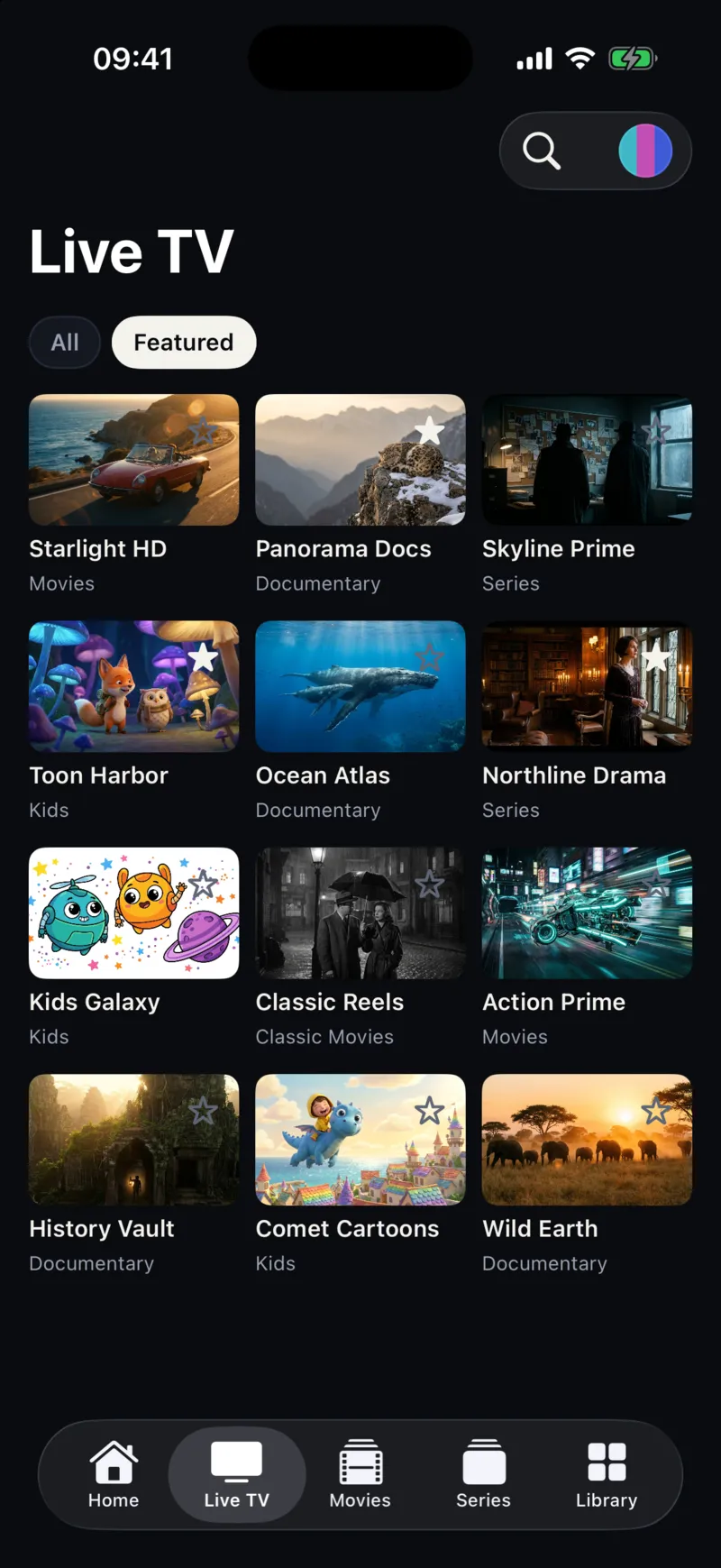
How to open an M3U playlist on iPhone
- Download Smart IPTV Pro Player from the App Store.
- Copy the M3U link from your provider’s email or customer area. It usually ends in
.m3uor containsget.phpwith your username. - In the app, tap Add Playlist, choose M3U and paste the link.
- Give the playlist a name and save it. Channels, movies and series appear in their own sections once the playlist has loaded.
What you get
- Live TV with categories – the groups defined in your playlist become filters, so large lists stay easy to browse.
- Movies and series – video-on-demand entries are shown as a poster grid.
- Favorites and Continue watching – keep the channels you use most and pick up where you left off.
- Several playlists – save each M3U link as its own profile and switch between them.
- Automatic refresh – choose how often the playlist is reloaded so new channels appear.
- Sync – sign in to keep your playlist profiles on your other iPhone and iPad.
- iPhone, iPad and iPhone Duo – the layout adapts to each screen size and fold position.
M3U link or Xtream Codes?
Many providers offer both. An M3U link is a single URL and works almost everywhere. An Xtream Codes login (server, username and password) usually keeps live TV, movies and series better organized. Smart IPTV Pro Player supports both; see the Xtream Codes guide.
Before you start
Smart IPTV Pro Player is a player only. It does not include channels or a playlist. Use an M3U link from a provider you are authorized to use. Stream quality and availability depend on that provider and your network. If a stream buffers, see IPTV buffering on iPhone.
Frequently asked questions
What is an M3U playlist?
An M3U playlist is a text file, usually shared as a URL, that lists stream addresses together with channel names, logos and groups. IPTV providers use it to deliver the channels and video-on-demand titles included in your account.
Where do I get an M3U link?
From the IPTV provider you subscribe to. Smart IPTV Pro Player does not sell or include playlists, channels or an IPTV service.
Can I add more than one M3U playlist?
Yes. Each playlist is saved as its own profile, so you can keep several sources and switch between them.
Why does my M3U playlist not load?
Open the URL in Safari to check that it downloads, confirm your provider account is active, and check that the link has not expired. If it fails in several players, contact your provider.
