IPTV Not Working? How to Tell If Your Subscription Expired
If IPTV worked yesterday and fails today on every device, an expired subscription is one of the most likely causes. This guide shows the typical signs, how to check your account, what to do in the app after renewing, and how the app’s own subscription is different.
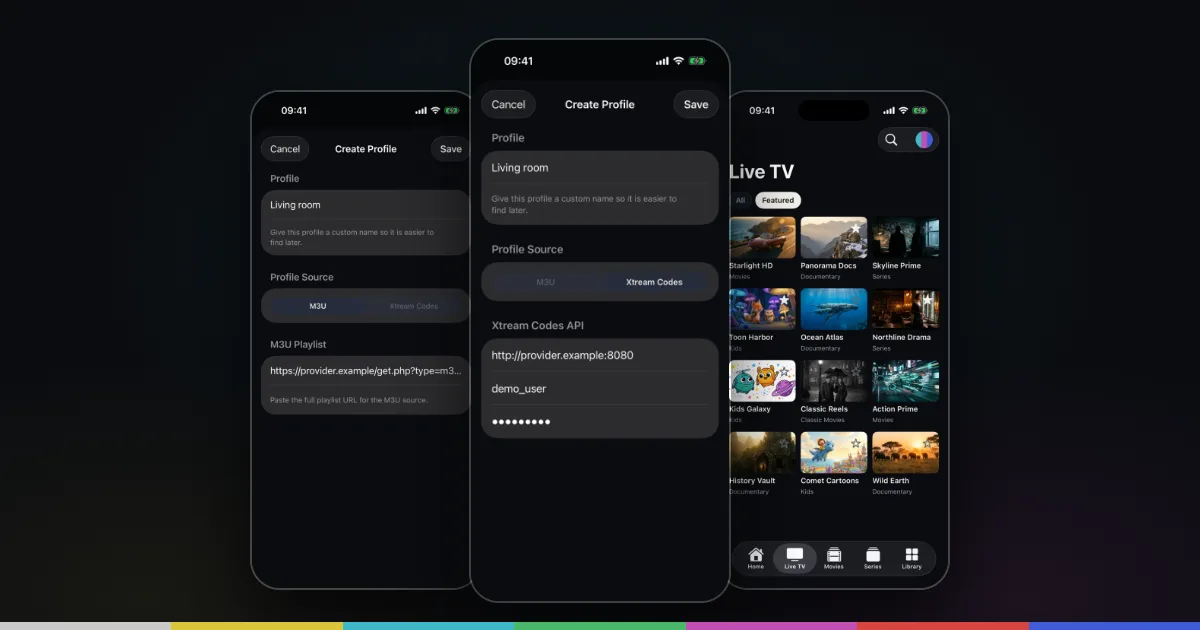
Two subscriptions, two different things
When IPTV stops working on your iPhone, “my subscription expired” can mean two different things, and it helps to separate them first.
- Your IPTV provider subscription is what gives you access to channels, movies and series. You pay the provider, and they give you an M3U link or an Xtream Codes login. If it expires, the content stops loading, whatever player you use.
- The app’s own in‑app subscription unlocks some features in Smart IPTV Pro Player. It is bought through the App Store and contains no channels, playlists or IPTV service. It does not replace a provider account, and renewing it does not renew your provider.
Most of the time, sudden failures are about the provider subscription. This guide shows how to recognize that, how to check it, what to do after renewing, and how the app’s own subscription fits in.
Signs your provider subscription has expired
An expired provider account usually shows up as a sudden change: everything worked yesterday and nothing works today, on every device. Typical symptoms are:
- The playlist suddenly fails to load. A source that loaded fine now shows an error or loads nothing when the app refreshes it.
- 401 or 403 errors. These HTTP codes mean the server refused access. 401 usually points to login details that are no longer accepted, and 403 means access is forbidden, which providers often use for expired or suspended accounts. A 403 can also come from other restrictions, such as the country you are in or a connection limit.
- Empty lists. The playlist loads but Live TV, Movies or Series are empty, or only a placeholder entry appears. Some servers return an empty list instead of an error when an account is no longer active.
- Xtream login refused. With an Xtream Codes source, the app can no longer log in with your Host, Username and Password even though you have not changed them. Many Xtream servers report an account status and an expiry date, and an expired account is refused.
- Channels open but don’t play. The list is still there from an earlier refresh, but every stream fails to start.
If only one or two channels fail while others play, the account is probably fine and the problem is with those channels; ask the provider about them. If streams fail with a message about connections, read IPTV “max connections reached”.
How to check your account status
The quickest way to confirm an expiry is to look at the source itself, outside the app.
- Check the provider’s customer area. Most providers have a website, dashboard or reseller page where you can see your plan, its expiry date and whether it is active. Look for your renewal date first.
- Check your email. Providers often send renewal reminders or an expiry notice. A notice that a new link or server address has been issued is also common after a renewal or a change on their side.
- Open the M3U link in Safari. If you use an M3U source, paste the link into Safari on your iPhone. A working link starts downloading or shows text beginning with
#EXTM3U. An error page, a 401 or 403, or an empty response suggests a problem with the account or the link. The M3U playlist troubleshooting guide explains these results in more detail. - Ask the provider. If you can’t find the status yourself, contact the provider’s support and ask whether your account is active, when it expires and whether your link or login has changed.
Avoid sharing your full link or password in public places while you troubleshoot. Treat them like a password.
After renewing: refresh the playlist in the app
Once your provider confirms the account is active again, the app needs to load the source again.
- Open Settings in the app and tap Refresh Playlist. The Last refresh time shows when the list was last loaded, so you can confirm it updated.
- If the lists are still empty or the login is still refused, check whether the provider gave you new details. Renewals sometimes come with a new server address, a new link or a new password.
- If the details changed, open the playlist button at the top of the screen, choose Edit Playlist, update the M3U URL or the Host, Username and Password, and tap Save.
- Play a channel to confirm that streams start.
The app also refreshes automatically on launch when the time in Settings → Refresh Interval (4, 12 or 24 hours) has passed, but a manual refresh is quicker right after a renewal. If you moved to a different provider instead of renewing, add the new source as its own profile with Add Playlist; see managing IPTV playlists on iPhone and the setup guides for M3U and Xtream Codes.
The app’s own subscription and the Restore button
Smart IPTV Pro Player is free to download, and some features need an in‑app subscription. A free trial is offered on the purchase screen. For prices and current terms, check the App Store and the purchase screen in the app.
If you see the purchase screen again, or features you paid for appear locked, the app’s subscription may have ended or the app may not have picked up your purchase on this device. Typical cases are a new iPhone, a reinstall or an iPad that uses the same Apple Account. To fix it:
- Open the purchase screen and tap Restore. This checks your Apple Account for an active purchase and unlocks it again.
- Check the subscription in iOS: open Settings, tap your name, then Subscriptions. You can see whether it is active or expired and renew or cancel it there.
- Make sure you are signed in to the same Apple Account that made the purchase.
The app subscription and the provider subscription are independent. An active app subscription doesn’t bring back channels from an expired provider account, and an expired app subscription doesn’t switch off your provider.
Who to contact
Contact your IPTV provider when the playlist fails in Safari, when you see 401 or 403 errors, when Xtream logins are refused, when lists are empty, or when you need a renewal, a new link or a new password. Only they can see and change your account.
Contact Apple through Settings → your name → Subscriptions, or Apple’s support, for billing, refunds and cancellations of the in‑app subscription.
Contact app support at [email protected] or the support page when Restore doesn’t unlock a purchase, or when your source works in Safari and in your provider’s area but not in the app. Include your device model, iOS version and app version, and leave out passwords and full links. We can’t provide channels, playlists or provider accounts.
Frequently asked questions
Does renewing the app subscription fix my IPTV channels?
No. The app subscription unlocks features in the player. Channels come only from your provider, so an expired provider account must be renewed with the provider.
My provider renewed my account but nothing changed. What now?
Tap Refresh Playlist in Settings. If it still fails, ask the provider whether your link, server address or password changed, then update the source with Edit Playlist.
Will I lose my favorites or profiles when my subscription expires?
An expired provider account stops the content from loading, but your saved profiles stay in the app until you delete them. Favorites and watch history refer to items from the provider’s list, so if the provider renames or replaces entries after a renewal, some of them may no longer match. If you signed in, your playlist profiles and preferences are also synced, as explained in the privacy policy.
How can I avoid sudden expiries?
Note your provider’s renewal date, keep their renewal emails, and check the customer area before the date. For general background, see what IPTV on iPhone is and how setup works.